I have a Zivver account
User manuals and reference documentation
Prevent sent emails from ending up in Drafts folder
Introduction
After you click Send on a new message, reply, or forward in the new Outlook, Zivver performs a final set of checks.
If you perform any action in the new Outlook during this processing time, for example clicking on a different email, then the message may be moved to your Drafts folder.
Solution
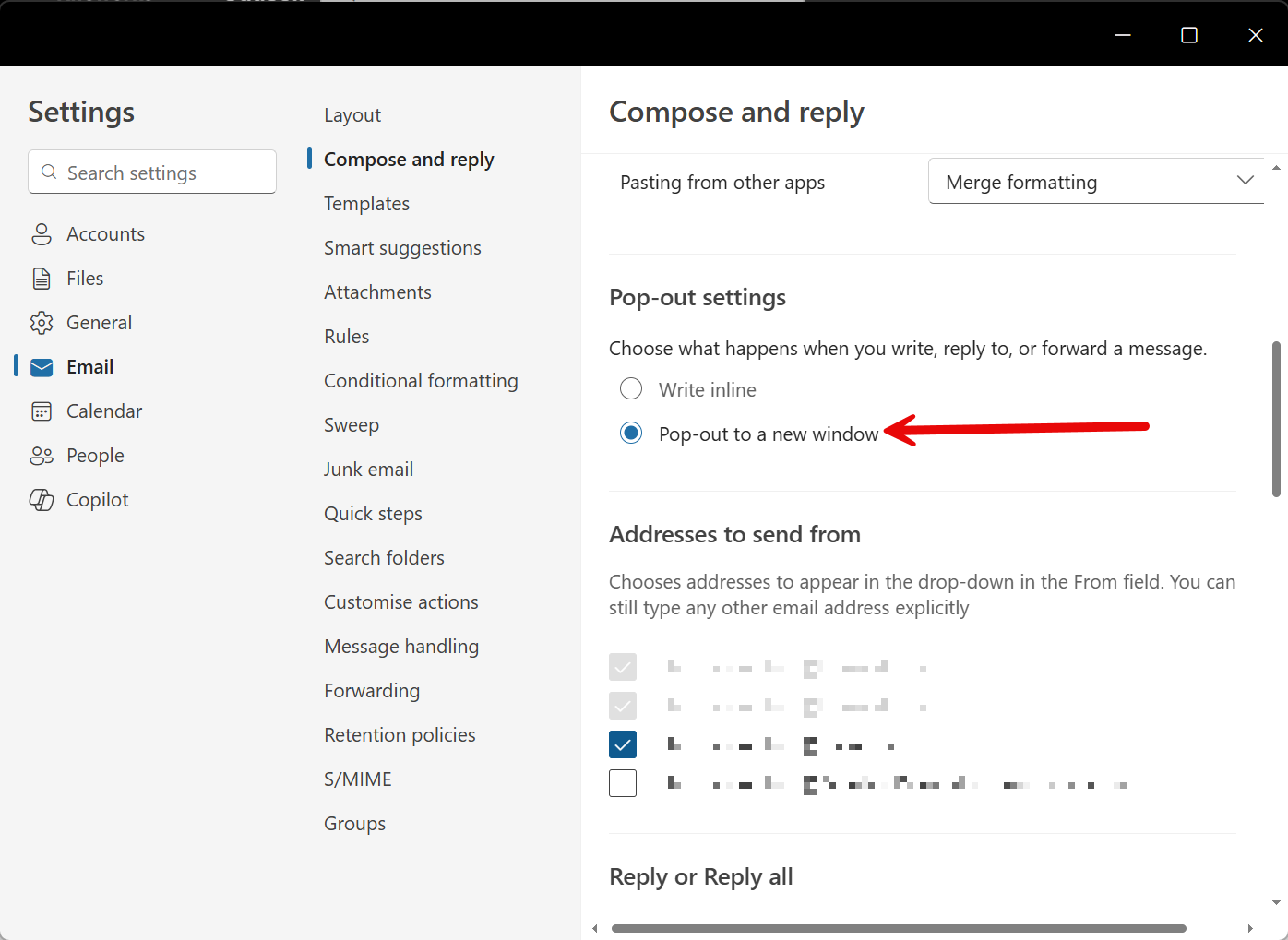
In the new Outlook, users can enable the setting Pop-out to new window that helps avoid this issue.
When this setting is enabled, the following changes will be applied to the new Outlook:
- New messages, replies, and forwards will open in a new window.
- The message will not end up in your Drafts folder, even if Zivver is still processing the message while you click away.
 Note
NoteAt this moment, the setting Pop-out to new window is only available in the new Outlook, not in Outlook on the web.
NoteAt this moment, the setting Pop-out to new window can only be enabled by users themselves. It is not possible for administrators to enable this setting for all users in their organization.
Enabling the setting
To enable the setting Pop-out to new window, share these steps with your users:
- In the new Outlook, click File.
- Click settings Settings.
- Click mail Email.
- Click Compose and reply.
- Scroll down to the section Pop-out settings.
- Select the option Pop-out to new window.